Before submitting a Telegram ad, check the product, the exact creative, the destination, and the requirements of the account you are buying through. Keep evidence for each check and assign someone to resolve every open issue. A completed checklist makes the submission easier to inspect and correct; Telegram still makes the moderation decision.
This guide focuses on the official Telegram Ad Platform. It also explains how to adapt your review process for purchased channel posts and automated networks. The checklist, budget calculations, and sample 30-day plan below help you prepare a submission and organize the work that follows.
Start by identifying how you are buying the ad
Write down the platform, account, format, destination type, and target market before reviewing copy. Otherwise, a team can spend time fixing an ad against specifications that belong to another buying method.
|
Buying method |
What to establish before submission |
Evidence to keep |
|
Official Telegram Ads |
Applicable Telegram policies and the formats enabled in your account |
Policy links, account details, final preview |
|
Agency or reseller access to Telegram Ads |
Which official inventory is being purchased and what additional commercial conditions apply |
Written specifications and the agency's review contact |
|
Direct purchase from a channel owner |
Agreed post, destination, publication terms, and applicable advertising requirements |
Approved post and placement agreement |
|
Automated channel advertising network |
Network requirements, supported format, and review process |
Campaign settings and the network's confirmation |
There is a documented reason to check account capabilities rather than relying on a generic tutorial. Telegram's Getting Started guide describes channel and bot destinations, while its Ad Guidelines also discuss websites. Treat website eligibility as an account-specific question. Similarly, Telegram's technical documentation for sponsored messages includes optional media. That establishes technical support, not access for every advertiser.
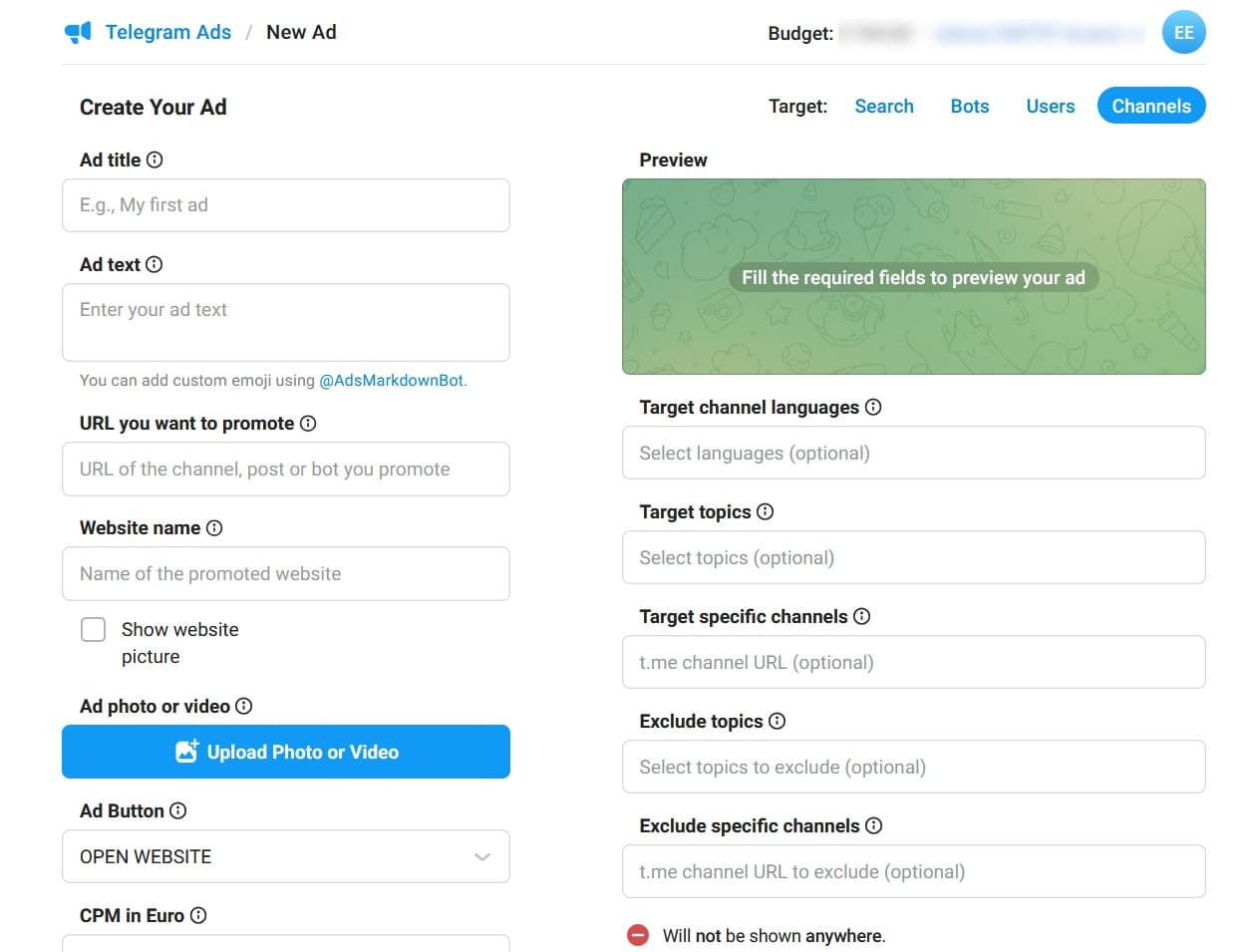
With MangoAds, you can run automated CPM campaigns in Telegram channels, use image or video creatives, and track campaign performance. Apply the review steps below to that campaign too, after confirming the network's own requirements. A network's targeting category is not confirmation that every offer in that category is eligible.
What to check against Telegram's published rules
The following is a compact reference to selected requirements in the Telegram Ad Guidelines. Read the full policy for category restrictions and exceptions; this table is not an exhaustive eligibility list.
|
Area |
Selected requirement |
|
Text |
Maximum 160 characters, including spaces; no line breaks or lists |
|
Presentation |
Avoid profanity, unclear wording, excessive emoji, and gimmicky capitalization |
|
Links |
At most one optional text link; it must match the button destination; no shorteners |
|
Telegram destination |
Complete profile image and description; functioning bot; channel post within the preceding two weeks |
|
User journey |
Relevant, accessible content; no empty destinations, redirect-only experiences, or moderation evasion |
|
Language |
Align the ad, destination, and targeted channel |
|
Product and claims |
Screen prohibited categories, misleading claims, and third-party rights |
Gambling, dating services, and alcohol are among Telegram's prohibited examples. Financial and health offers require close reading of their respective policy sections. Changing wording cannot make an ineligible product eligible.
For your own review, start with the offer before polishing the headline. Describe what a customer receives, who sells it, how payment works, and which markets the campaign targets. Send that description to the person responsible for checking category eligibility. Record their answer against the actual product and destination version.
Telegram's Terms of Service leave advertisers responsible for applicable requirements and allow Telegram to request supporting documents. A moderation approval does not replace the advertiser's own review. For a regulated offer, have the responsible specialist identify the market-specific licensing, disclosure, and advertising requirements before committing launch spend.
Build a checklist that produces a decision
A useful checklist needs evidence, an owner, and a result. Give each row one of four statuses: Pass, Fix, Unclear, or N/A. Add a reason for every N/A. A blank cell means the check has not happened.
The table below outlines a suggested review process. Its evidence requirements are recommended team controls, rather than additional Telegram rules.
|
Review step |
Evidence to attach |
Owner |
Internal release condition |
|
Identify the offer and buying method |
Product summary, account, format, market |
Campaign lead |
Scope is documented |
|
Review category eligibility |
Relevant policy section and reviewer decision |
Policy reviewer |
No unresolved eligibility question |
|
Substantiate the offer |
Source for claims, current pricing and conditions |
Product owner |
Copy matches the documented offer |
|
Inspect the destination |
Dated screenshots and a completed user journey |
Destination owner |
Promised content or action is available |
|
Check creative and links |
Exact submitted text, URL, and preview |
Copy owner |
Version is ready for submission |
|
Test measurement and controls |
Test event, conversion definition, spend cap |
Analyst and buyer |
Results can be measured and spend limited |
|
Authorize submission |
Completed checklist and version identifier |
Campaign lead |
All applicable checks pass |
Record a status, reviewer, check date, and supporting evidence for each step in the table. Hold the submission while a check is incomplete, marked Fix, or marked Unclear. Once every applicable check passes and any N/A has a documented reason, the team can authorize submission. This internal decision does not mean the platform has approved the campaign.
Review the whole promised experience
Open the exact destination that will appear in the ad. Follow the journey as a new visitor: read the offer, start the bot if applicable, locate the promised resource, and check the next action. Use a test account where necessary so existing permissions do not hide a problem.
For a hypothetical campaign offering a free lesson, the reviewer should be able to locate that lesson. If the journey instead presents a paid subscription before showing what was promised, return the offer and destination to the product owner. Record the mismatch in ordinary language so the owner can reproduce it.
Keep screenshots small and purposeful: the first screen, the promised item, and any price or condition needed to understand the offer. Record the date and the destination version alongside them. A screenshot alone cannot establish how an interactive bot behaves.
Have someone other than the copywriter complete the final journey check when possible. The person who knows where the resource is supposed to appear may overlook how difficult it is for a new visitor to find it.
Sara Al MansooriAdTech Strategist at MangoAds.
Keep a record of what was submitted
Assign a version such as lesson-en-v03. Store the exact text, media filename if applicable, destination, targeting summary, and submission time together. When something changes, create a new record and describe the change.
This becomes useful when a rejection mentions the destination but the team has already edited several posts. A version record lets the reviewer compare the rejection with the material that was actually submitted.
For copy ideas, use the Telegram ad creative examples alongside your offer evidence. An example is a writing aid; your product still needs its own eligibility and claims review.
What to do when a Telegram ad is declined
Open the declined ad and read the detailed explanation and linked guideline. Telegram documents that workflow in its ad status guide. Save the explanation before revising the submission.
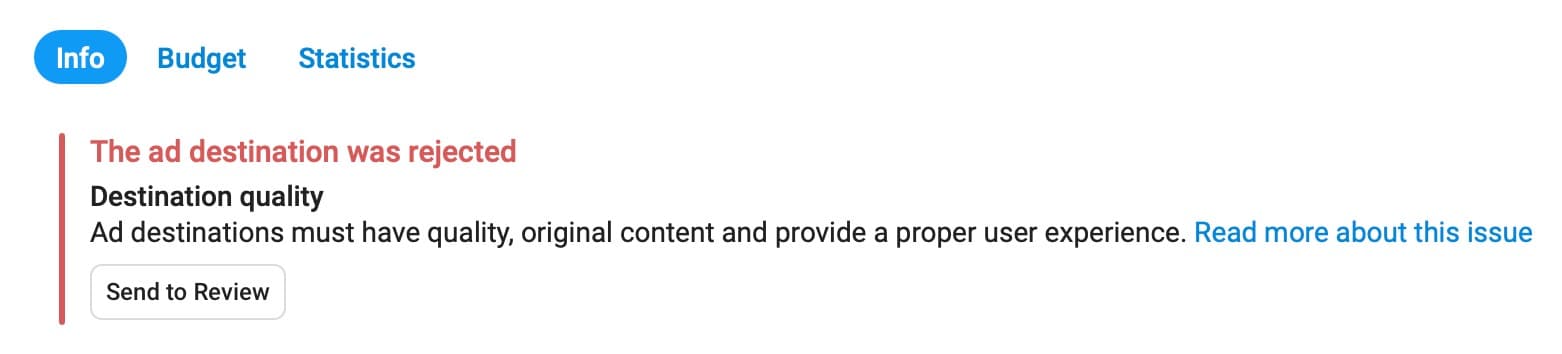
Keep a record of each rejection and work through these steps:
- Record the ad ID, version, exact reason, and relevant policy section.
- Assign the issue to the person who can change the affected material.
- Make a documented correction and repeat the affected checks.
- Resubmit when appropriate, then record the new status and date.
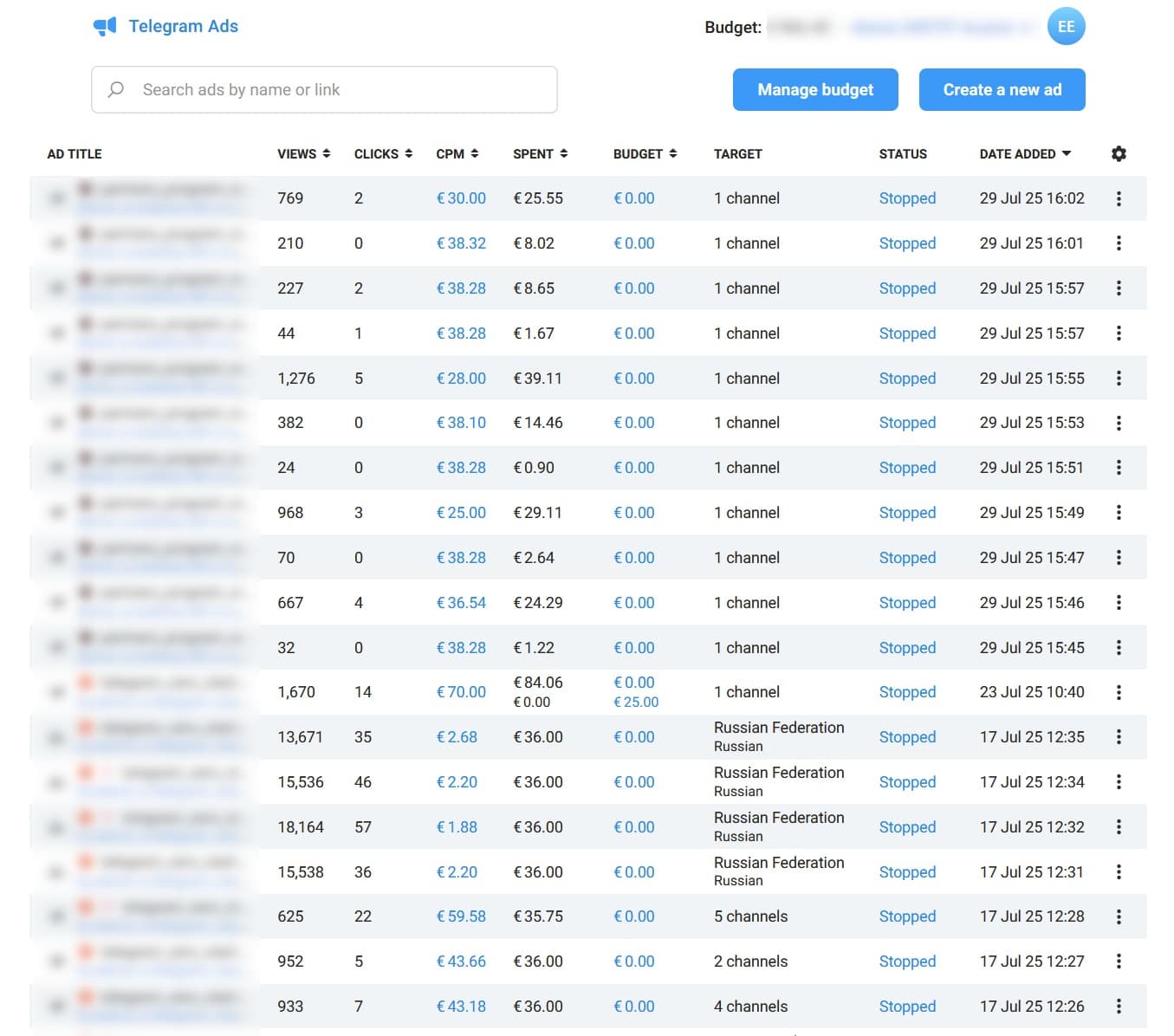
Keep questions to support specific. For example: "The notice refers to destination functionality. We repaired the failed onboarding step and attached a dated recording. Is there another destination issue we should address?" This is a hypothetical message structure, not a promise that the correction will be accepted.
The verified Ads Support account is publicly accessible. Use the support route available through your account or buying partner and retain the response with the submission record.
Allow room for review in the schedule
Telegram's terms explicitly provide no binding review timeframe. Avoid treating an assumed 24- or 48-hour response as a launch commitment. Submit early enough to allow corrections and keep time-sensitive placements conditional until the required approval is in place.
Once delivery starts, assign a person to review material changes to the offer or destination. Use a new version record for a price change, a replacement resource, or a different onboarding flow. If a change creates an unresolved issue, pause the affected campaign while the team reviews it.
Connect review readiness to your test budget
Keep the planned media budget separate from the amount released for delivery. A spreadsheet forecast can reserve money for a test while the launch checklist remains on hold. If review takes longer than expected, revise the dates before increasing daily spend to catch up.
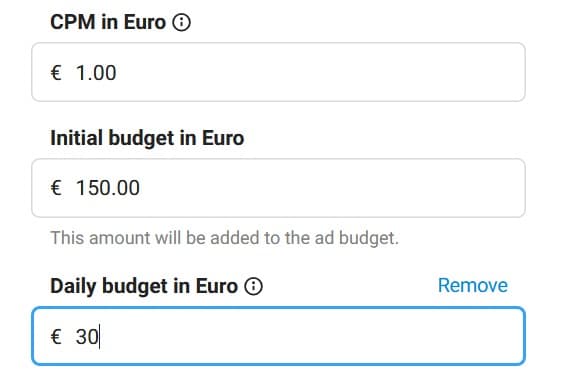
Use these standard formulas to plan spend and evaluate campaign results. Use the same campaign scope, currency, reporting period, and attribution window for the underlying numbers.
|
Metric |
Formula |
Unit |
|
CPM |
Spend / impressions x 1,000 |
Currency per 1,000 impressions |
|
CPC |
Spend / clicks |
Currency per click |
|
CTR |
Clicks / impressions x 100 |
Percent |
|
CPA |
Spend / attributed conversions |
Currency per chosen conversion |
|
Click conversion rate |
Attributed click conversions / clicks x 100 |
Percent |
A zero denominator makes the metric undefined. Report it as unavailable, rather than zero. If your reporting source does not supply clicks, leave CPC and CTR unavailable; do not substitute bot starts or subscriptions for clicks.
Define the conversion before spending. A bot start, a qualified lead, and a paid order answer different questions.
The Telegram subscriber and conversion tracking guide explains how to connect those stages without counting them as interchangeable outcomes.
Illustrative budget tiers
The three tiers below are planning scenarios in USD, not Telegram minimums, market benchmarks, or a sample-size guarantee. Each uses an assumed $5 CPM, 0.8% CTR, and 4% click-to-conversion rate. Media spend excludes production, agency fees, taxes, and currency conversion costs.
|
Scenario |
Media budget |
Estimated impressions |
Estimated clicks |
Expected conversions |
|
Focused test |
$300 |
60,000 |
480 |
19.2 |
|
Broader comparison |
$1,000 |
200,000 |
1,600 |
64 |
|
Follow-up capacity |
$3,000 |
600,000 |
4,800 |
192 |
For the $1,000 scenario: 1,000 / 5 x 1,000 = 200,000 impressions. Multiply by 0.008 for 1,600 clicks, then by 0.04 for 64 expected conversions. The implied CPC is $0.625 and CPA is $15.625. Fractional expected conversions are valid in a forecast; actual conversion counts are whole numbers.
These estimates change with the assumptions. At the same $5 CPM, a 0.4% CTR and 2% conversion rate produce an implied CPA of $62.50. Calculate the estimates using your own assumptions before choosing a tier. If the account bills in another currency, either calculate entirely in that currency or record the exchange rate and date used for conversion.
A larger test budget is useful only when it funds a clear next question. Resolve eligibility and measurement issues first, then decide whether the remaining uncertainty is the creative, audience, or offer.
Sara Al MansooriAdTech Strategist at MangoAds.
A sample 30-day plan with approval checkpoints
This calendar combines review preparation with a small measurement test. Dates are planning targets, not review deadlines. The allocations below split an illustrative $1,000 media ceiling into $200, $300, and $500. Unused allocations remain unspent if a checkpoint fails.
|
Days |
Work |
Maximum new allocation |
Condition for proceeding |
|
1-3 |
Identify offer, market, buying method, and policy questions |
$0 |
Eligibility questions have an owner |
|
4-7 |
Finish destination, evidence, creative, and tracking checks; submit |
$0 |
Internal submission checklist passes |
|
8-10 |
Review feedback, correct issues, and confirm launch readiness |
$0 |
Required approval and measurement checks are complete |
|
11-14 |
Run a limited delivery and measurement check |
$200 |
Destination and reporting behave as expected |
|
15-21 |
Compare a defined creative or audience hypothesis |
$300 |
Test setup and reporting window remain comparable |
|
22-27 |
Run a follow-up test justified by the results |
$500 |
A specific next question warrants the spend |
|
28-30 |
Reconcile spend, document findings, and plan the next cycle |
$0 |
Report pending conversions separately |
If approval is still pending on day 11, move the delivery phases. Do not compress the test simply to spend the monthly allocation. For a longer conversion cycle, schedule the final outcome review after the attribution window has matured.
For experiment design and interpretation, continue with A/B Testing Telegram Ads. Keep moderation status in the test record: an unavailable variant cannot be treated as if it received the planned exposure.